Growing businesses rarely struggle because they lack software.
They struggle because they use too many disconnected applications.
Sales teams work in one CRM. Finance manages invoices in another platform. Customer-support teams track tickets separately. Employees collaborate through email and messaging tools. Project teams maintain their own systems, while leadership depends on manually prepared reports to understand what is happening across the organization.
Each tool may work well individually, but the business still operates in silos.
This leads to:
- Duplicate data entry
- Inconsistent customer information
- Delayed handovers between departments
- Limited visibility for leadership
- Multiple software subscriptions
- Complex integrations
- Repetitive administrative work
- Poor accountability across teams
This is why many growing businesses are evaluating Zoho One as a complete business-management platform.
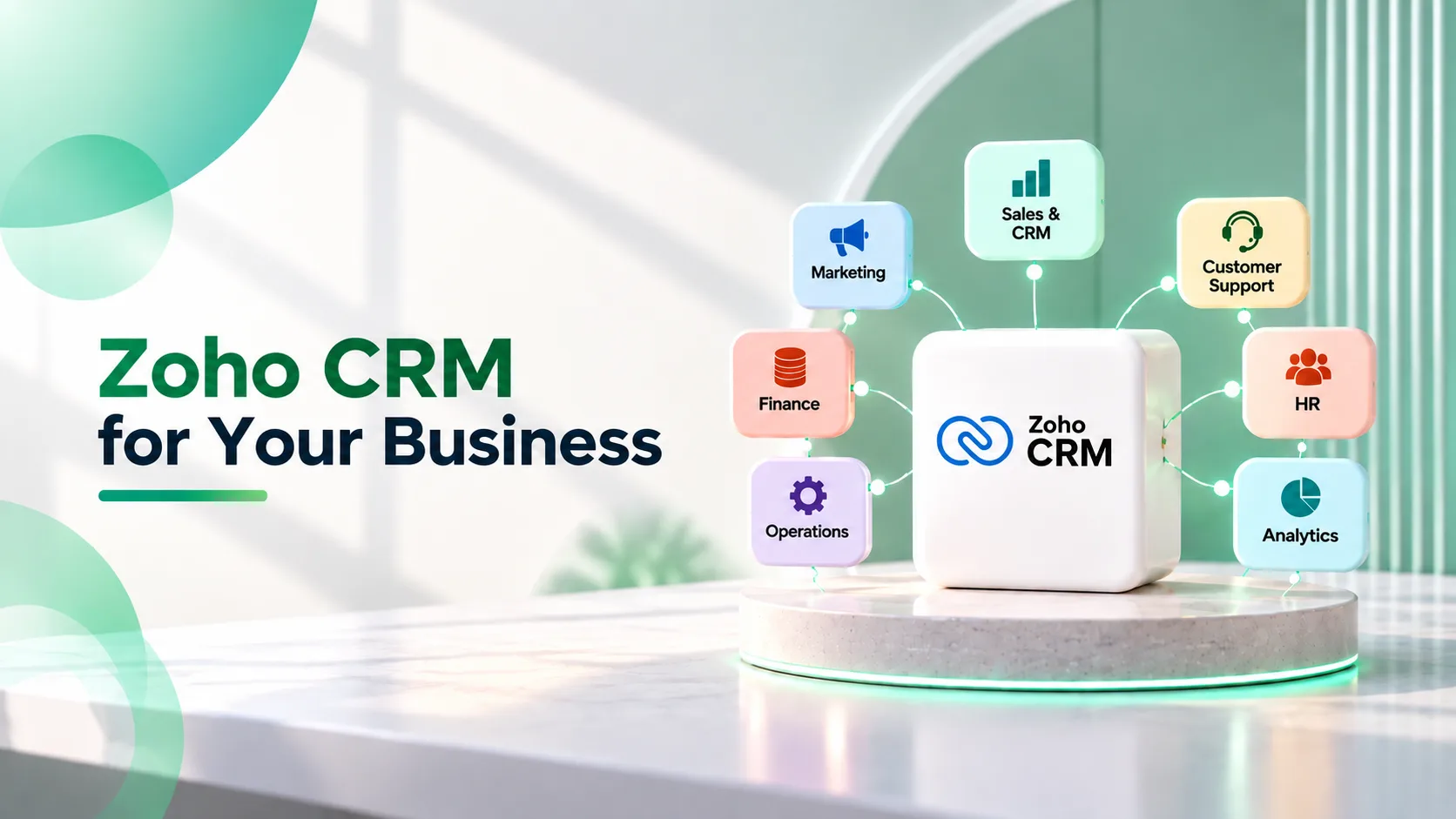
Zoho One brings applications for sales, marketing, finance, customer service, human resources, collaboration, operations, analytics, and custom application development into one connected ecosystem.
The objective is not simply to give employees more software.
It is to create a unified operating system through which different departments can work together, share information, automate processes, and make better decisions.
This guide explains why businesses are choosing Zoho One, which functions it can manage, the benefits of a connected platform, and what organizations should consider before implementation.
Key Takeaways
- Zoho One unifies sales, marketing, finance, HR, customer support, and operations within a single connected ecosystem.
- It helps businesses eliminate data silos, duplicate entries, and disconnected workflows.
- Automated processes improve efficiency, reduce manual work, and enhance team collaboration.
- Real-time analytics and reporting provide leadership with better visibility for decision-making.
- Integrated applications ensure a seamless customer journey from lead generation to support.
- Zoho Creator enables businesses to build custom applications for unique operational needs.
- A phased implementation approach allows organizations to scale the platform as they grow.
- Businesses can reduce software complexity, improve data accuracy, and streamline technology management.
- Success depends on proper process mapping, data governance, user adoption, and ongoing optimization.
- Zoho One acts as a scalable business operating system that supports long-term growth and digital transformation.
What Is Zoho One?
Zoho One is a unified suite of cloud-based business applications designed to help organizations manage multiple functions through a connected technology ecosystem.
Instead of purchasing separate software for every department, businesses can use Zoho applications to manage areas such as:
- Sales and customer relationships
- Marketing campaigns
- Finance and accounting
- Inventory and order management
- Customer support
- Human resources
- Project management
- Business communication
- Document management
- Analytics and reporting
- Workflow automation
- Custom application development
Some of the commonly used applications within the Zoho ecosystem include Zoho CRM, Zoho Books, Zoho Inventory, Zoho Desk, Zoho Projects, Zoho People, Zoho Recruit, Zoho Campaigns, Zoho Social, Zoho Analytics, Zoho Creator, Zoho Sign, Zoho Expense, Zoho Mail, Zoho WorkDrive, Zoho Meeting, and Zoho Cliq.
The real value of Zoho One does not come from the number of applications available.
It comes from connecting the applications around a common business process.
For example, a lead can enter Zoho CRM through a marketing campaign, become a customer after a deal is won, move into finance for invoicing, trigger a project for delivery, and later generate a support ticket in Zoho Desk.
Instead of each department manually transferring information, the process can be connected and automated.
Businesses still exploring individual Zoho products can read our overview of the top Zoho products and their business applications.
Organizations comparing licence models can also review our breakdown of Zoho One All-Employee vs Flexible-User pricing.
Why Disconnected Software Becomes a Growth Problem
Many companies build their software stack gradually.
They begin with spreadsheets and email. As requirements increase, they add separate tools for:
- CRM
- Accounting
- Marketing
- Customer support
- Project management
- Human resources
- Reporting
- Team communication
This may solve immediate departmental problems, but it often creates organization-wide complexity.
Customer Data Becomes Fragmented
Sales may have one customer record, finance another, and support a third.
This makes it difficult to maintain one accurate view of the customer relationship.
Teams Enter the Same Information Repeatedly
A salesperson may enter customer details in the CRM. Finance may re-enter them into accounting software. Operations may create the same customer record in a project-management platform.
This wastes time and increases the chance of errors.
Handoffs Depend on People
When a deal is won, someone must inform finance, operations, onboarding, and support.
If the email or message is missed, the customer experience suffers.
Leadership Lacks Real-Time Visibility
Management reports often require data to be exported from different applications and combined manually.
By the time the report is ready, the information may already be outdated.
Software Costs Become Difficult to Control
Separate subscriptions, integration tools, support providers, and renewal dates create unnecessary administrative complexity.
Zoho One helps businesses address these problems by replacing a collection of isolated tools with a more connected business-management environment.
Recognize these silos in your own organization? A short review of how information moves between your teams usually shows exactly where a connected platform would help first.
Get a Free Business Systems Review →1. One Connected System for Multiple Departments
One of the biggest reasons businesses choose Zoho One is the ability to bring multiple functions into one ecosystem.
A typical customer journey may involve:
- Marketing generates an inquiry.
- Sales qualifies the lead.
- A proposal is created.
- The customer accepts and signs the agreement.
- Finance generates an invoice.
- Operations begin delivery.
- Support manages customer requests.
- Leadership reviews performance through dashboards.
When each step uses disconnected software, employees must manually move data and coordinate the next action.
With a connected Zoho One implementation:
- Marketing activity can be linked to CRM leads.
- Deals can trigger approval and onboarding workflows.
- Signed documents can be stored against customer records.
- Customer information can flow into finance applications.
- Won deals can initiate projects or service processes.
- Support teams can access sales and customer history.
- Management can view cross-functional performance.
This creates continuity across the customer lifecycle.
2. Zoho CRM Creates a Structured Sales Foundation
For many businesses, Zoho CRM becomes the central starting point of the Zoho One ecosystem.
It can help teams manage:
- Leads
- Contacts
- Accounts
- Deals
- Activities
- Follow-ups
- Quotations
- Sales pipelines
- Approvals
- Forecasting
- Reports and dashboards
Zoho CRM can also be customized for different products, locations, teams, customer segments, and sales processes.
For example:
- A manufacturing company can manage dealer and distributor inquiries.
- A real estate business can track property preferences and site visits.
- A professional-services firm can manage proposals and client onboarding.
- A distribution company can assign leads according to territory.
- A financial-services business can track documents and renewal dates.
The CRM can then connect with finance, marketing, support, analytics, and other Zoho applications.
Businesses planning a CRM rollout can refer to our complete guide to Zoho CRM implementation for growing businesses.
Organizations comparing implementation budgets can also review our guide to Zoho CRM implementation cost in India.
3. Zoho Books Connects Sales With Finance
A common operational gap exists between sales and finance.
Sales teams know what was agreed with the customer, but finance teams may not receive the correct commercial information on time.
This can lead to:
- Delayed invoicing
- Incorrect customer details
- Missing tax information
- Confusion over pricing
- Poor payment visibility
- Repeated follow-ups between departments
Zoho Books can help businesses manage:
- Customer invoicing
- Vendor bills
- Expenses
- Banking
- Tax-related workflows
- Payment tracking
- Purchase processes
- Financial reporting
- Approval workflows
When connected with Zoho CRM, customer and transaction information can move between sales and finance more efficiently.
For example:
- A closed deal can trigger the customer-creation process.
- Approved commercial information can be passed to finance.
- Sales teams can gain relevant payment visibility.
- Finance teams can work from structured customer data.
- Leadership can connect revenue pipelines with actual financial performance.
Indian businesses evaluating finance automation can read our Zoho Books implementation guide for Indian CFOs.
4. Zoho Desk Connects Customer Support With the Complete Customer History
Customer service often becomes disconnected from sales.
Support agents may know the current complaint but have limited information about:
- What the customer purchased
- Which commitments were made
- Who owns the account
- Whether the issue is recurring
- Which conversations happened before the ticket was raised
Zoho Desk helps businesses manage customer-support tickets, agent ownership, response priorities, escalations, service-level processes, and knowledge resources.
When connected with CRM and other applications, support teams can gain a more complete view of the customer.
This can improve:
- Ticket response
- Resolution consistency
- Escalation management
- Customer communication
- Account visibility
- Service reporting
- Renewal and retention decisions
A connected service system also allows sales and account-management teams to understand whether important customers are experiencing unresolved problems.
5. Zoho Campaigns and Zoho Social Connect Marketing With Sales
Marketing teams often measure opens, clicks, followers, impressions, and campaign responses.
Sales teams measure qualified opportunities and revenue.
When marketing and CRM systems are disconnected, it becomes difficult to understand which activities are actually contributing to business growth.
Zoho applications can help connect marketing execution with customer and sales data.
Businesses can use the ecosystem to support:
- Email campaigns
- Lead nurturing
- Audience segmentation
- Social-media management
- Campaign tracking
- Customer communication
- Lead-source attribution
- Engagement-based follow-ups
For example, leads generated through marketing campaigns can enter Zoho CRM, be assigned to the correct salesperson, receive follow-up tasks, and be tracked through the pipeline.
This helps move marketing reporting beyond activity metrics and towards opportunity and revenue contribution.
6. Zoho Projects Improves the Sales-to-Delivery Handover
Winning a deal is not the end of the customer journey.
The customer must then be handed over to implementation, operations, service, or delivery teams.
In disconnected systems, this handover may happen through:
- Spreadsheets
- Internal meetings
- Manually created project records
Important details can be lost during this transition.
Zoho Projects can help teams manage:
- Project plans
- Tasks
- Milestones
- Ownership
- Timelines
- Dependencies
- Timesheets
- Collaboration
- Delivery progress
When integrated with Zoho CRM, a won deal can trigger a structured project-creation or onboarding process.
Relevant customer information, scope, commercial details, and ownership can be carried forward instead of being entered again.
This helps businesses deliver a more consistent post-sale experience.
7. Zoho People Supports Employee Management
As organizations grow, employee information and HR workflows also become more complex.
Zoho People can help manage areas such as:
- Employee records
- Attendance
- Leave
- Onboarding
- Performance processes
- HR documents
- Approvals
- Employee services
A connected HR system can reduce dependence on spreadsheets, emails, and paper-based approvals.
It can also provide a consistent employee experience as the company adds teams, departments, locations, and reporting structures.
The business benefit is not limited to HR administration.
Better employee systems can improve onboarding, accountability, policy compliance, and internal visibility.
8. Zoho Analytics Gives Leadership Cross-Functional Visibility
Every department generates data.
The challenge is turning it into a useful view of the business.
Sales reports may exist in CRM. Revenue and expenses sit in finance applications. Support data remains in a help desk. Marketing performance sits in campaign tools. Project progress is tracked separately.
Zoho Analytics can help businesses bring information together and create dashboards based on management requirements.
Leadership dashboards may include:
- Sales pipeline
- Revenue performance
- Lead-source contribution
- Conversion rates
- Collections and outstanding payments
- Project-delivery status
- Support-ticket trends
- Customer retention indicators
- Team performance
- Regional or product-level performance
The objective should not be to create more charts.
It should be to answer important business questions faster.
For example:
- Which lead sources generate profitable customers?
- Which products have strong pipelines but delayed collections?
- Which accounts have open opportunities and unresolved support issues?
- Which regions are missing targets?
- Which projects are at delivery risk?
- Where are approvals slowing down growth?
Connected analytics gives management a more complete view than isolated departmental reports.
9. Zoho Creator Helps Build Applications for Unique Processes
Even a comprehensive software suite may not cover every business requirement.
Companies often have specialized processes that are unique to their industry, customer model, or internal operations.
Zoho Creator is a low-code application-development platform that can be used to build custom applications for requirements such as:
- Vendor portals
- Field-service applications
- Asset management
- Approval systems
- Dealer-management applications
- Customer portals
- Audit workflows
- Internal request systems
- Proof-of-concept applications
- Startup MVPs
These applications can be connected with the broader Zoho ecosystem.
This gives businesses the flexibility to extend Zoho One without immediately building a completely separate software platform.
Founders and business leaders evaluating low-code development can read our comparison of Zoho Creator vs custom software development.
10. Automation Reduces Repetitive Administrative Work
A connected platform creates opportunities to automate processes across departments.
Examples include:
Lead Management
- Capture website inquiries automatically.
- Assign leads according to location, product, or team.
- Create follow-up tasks.
- Escalate unattended leads.
- Notify managers about high-value opportunities.
Sales Approvals
- Route discount requests.
- Approve special pricing.
- Validate commercial terms.
- Track pending decisions.
- Maintain approval history.
Customer Onboarding
- Create onboarding tasks after a deal is won.
- Request required documents.
- Notify finance and operations.
- Assign implementation ownership.
- Track completion milestones.
Finance Operations
- Generate invoices based on approved information.
- Route expenses for approval.
- Send payment reminders.
- Notify teams about overdue amounts.
- Create recurring financial workflows.
Customer Support
- Assign tickets by category or priority.
- Escalate unresolved issues.
- Notify account owners.
- Trigger customer updates.
- Monitor service-level timelines.
Employee Processes
- Route leave requests.
- Trigger onboarding checklists.
- Collect documents.
- Manage internal approvals.
- Track employee requests.
Businesses looking to improve sales automation can read our ultimate guide to automating workflows in Zoho CRM.
Our article on CRM automation gaps that cause businesses to lose deals also explains where manual processes commonly affect conversions.
11. A Unified Platform Can Improve Data Quality
Disconnected systems often contain different versions of the same information.
A customer name may be written differently in the CRM and accounting system. One platform may have an old phone number. Another may show a different account owner. Employees may create duplicate records because they cannot see information held by other departments.
A connected implementation can improve data consistency by defining:
- A primary source for each type of information
- Standard record formats
- Mandatory fields
- Validation rules
- Duplicate-management processes
- Ownership structures
- Controlled data synchronization
- Role-based permissions
Better data quality improves:
- Automation
- Reporting
- Customer communication
- Forecasting
- Segmentation
- Compliance
- Management decisions
However, software alone cannot fix poor data discipline.
Businesses must also define clear data ownership and governance processes.
12. Zoho One Can Reduce Technology Complexity
Buying separate software may appear flexible, but every additional application creates more work.
Businesses must manage:
- Different vendors
- Separate contracts
- Multiple renewal dates
- User provisioning
- Access control
- Integration tools
- Data synchronization
- Training
- Technical support
- Security policies
A unified ecosystem can simplify parts of this technology-management burden.
Teams can work with a more consistent application environment, while administrators can manage users, permissions, integrations, and processes more systematically.
However, simplification depends on implementation.
Merely subscribing to Zoho One without designing the operating model will not automatically create an integrated business.
13. Zoho One Can Scale With a Growing Organization
Businesses do not need to deploy every application on the first day.
A phased implementation may begin with:
- Zoho CRM for sales
- Zoho Books for finance
- Zoho Desk for customer support
The organization can later add:
- Marketing automation
- Project management
- HR systems
- Analytics
- Custom applications
- Document management
- Collaboration tools
This phased approach allows businesses to prioritize the processes with the greatest immediate impact.
It also reduces implementation risk and gives teams time to adapt.
As the organization expands into new products, locations, departments, or customer segments, the Zoho ecosystem can be configured and extended accordingly.
Wondering which applications your business should start with? We can map your current processes and recommend a phased Zoho One rollout that delivers value early.
Plan Your Zoho One Rollout With Absoft →Zoho One vs Using Separate Applications
| Area | Separate Applications | Zoho One Ecosystem |
|---|---|---|
| Customer data | Distributed across platforms | Can be connected across functions |
| Integrations | Often require separate tools or development | Many Zoho applications can work together |
| User management | Managed separately | More centralized administration |
| Reporting | Data must be combined from different systems | Cross-functional reporting can be developed |
| Automation | Often limited to one department | Can extend across multiple processes |
| Employee experience | Different interfaces and logins | More consistent ecosystem |
| Vendor management | Multiple software providers | Broader platform relationship |
| Scalability | New tools added individually | Applications can be introduced in phases |
| Custom processes | Separate custom development may be required | Zoho Creator can extend the ecosystem |
| Implementation | Department-specific | Requires organization-wide process planning |
The right choice depends on the business.
Some organizations may still need specialist third-party software for particular requirements. Zoho One does not necessarily have to replace every existing application.
The objective should be to determine which systems should remain, which should be replaced, and how information should flow between them.
Which Businesses Can Benefit From Zoho One?
Zoho One may be suitable for businesses that:
- Use multiple disconnected software tools
- Depend heavily on spreadsheets
- Re-enter data across departments
- Have poor sales-to-finance visibility
- Struggle with customer handovers
- Need better management reporting
- Want to automate repetitive workflows
- Are adding employees, locations, or business units
- Need a scalable technology platform
- Want to standardize operations
- Require custom internal applications
- Already use several Zoho products
It can support a wide range of industries, including:
Manufacturing and Distribution
Businesses can connect dealer inquiries, sales pipelines, quotations, inventory, accounting, customer support, and reporting.
Professional Services
Firms can manage leads, proposals, contracts, projects, timesheets, invoicing, employee records, and customer communication.
Real Estate
Businesses can connect property inquiries, site visits, sales pipelines, customer communication, documentation, finance, and reporting.
Education and Training
Organizations can manage inquiries, admissions, communication, employee processes, finance, and student-support workflows.
Technology and SaaS Companies
Companies can connect marketing, sales, subscriptions, implementation projects, customer support, finance, and analytics.
Retail and E-commerce
Businesses can connect customer records, orders, inventory, marketing, support, finance, and performance reporting.
When Zoho One May Not Be the Right Fit
Zoho One is comprehensive, but it should not be selected only because many applications are included.
Some complex enterprises may require a combination of Zoho, ERP platforms, industry-specific applications, and custom integrations.
Businesses comparing broader enterprise platforms can read our analysis of Zoho ERP vs SAP vs Oracle for growing Indian businesses.
Common Zoho One Implementation Mistakes
Implementing Every Application at Once
Launching too many applications simultaneously can overwhelm users and increase project risk.
Prioritize the workflows that create the greatest business value.
Recreating Broken Processes
Automation should not preserve unnecessary approvals, duplicate data entry, or inefficient handovers.
Simplify the process before configuring it.
Focusing on Applications Instead of Outcomes
The implementation should not begin with, “Which apps should we activate?”
It should begin with questions such as:
- Where are leads being lost?
- Why is invoicing delayed?
- Where do customer handovers fail?
- Which reports are missing?
- What repetitive work can be removed?
Ignoring Data Migration
Poor-quality customer, financial, employee, or operational data can undermine the entire implementation.
Data must be cleaned, mapped, tested, and validated.
Underestimating Integrations
Even within a connected ecosystem, integrations must be designed around business logic, ownership, and data flow.
Third-party applications may also need to remain connected.
Our Zoho CRM integration guide explains the principles behind building a connected technology environment.
Skipping User Training
Employees need role-specific training based on their actual daily responsibilities.
Generic product demonstrations are rarely enough.
Not Assigning an Internal Owner
A business should appoint an internal process owner or implementation lead who can coordinate requirements, decisions, testing, and adoption.
Treating Go-Live as the End
The platform should be reviewed after implementation to identify adoption gaps, workflow issues, reporting needs, and new automation opportunities.
A Practical Zoho One Implementation Roadmap
Phase 1: Business Process Discovery
Document:
- Departments
- Current applications
- Key workflows
- Data sources
- Pain points
- Approvals
- Reporting needs
- Integration requirements
Phase 2: Application and Process Mapping
Determine:
- Which Zoho applications are required
- Which existing systems should remain
- Which systems should be replaced
- Where data should originate
- How information should move
- Which workflows should be automated
Phase 3: Prioritization
Rank processes according to:
- Business impact
- Urgency
- Complexity
- User readiness
- Data availability
- Implementation dependency
Phase 4: Configuration and Customization
Set up:
- Modules
- Fields
- Layouts
- Pipelines
- Permissions
- Workflows
- Approvals
- Reports
- Dashboards
- Integrations
Phase 5: Data Migration
Clean, map, test, import, and validate relevant data.
Phase 6: User Testing
Test complete business scenarios involving multiple departments.
Phase 7: Training and Go-Live
Train users according to role and launch in controlled phases where appropriate.
Phase 8: Adoption and Optimization
Monitor:
- User activity
- Data quality
- Workflow performance
- Integration failures
- Reporting accuracy
- Business outcomes
- Improvement requests
Why Work With a Zoho One Implementation Partner?
Zoho One implementation requires more than knowledge of individual applications.
The partner must understand how different departments, processes, data, and systems connect.
An experienced implementation partner can help with:
- Business-process consulting
- Application selection
- Solution architecture
- CRM implementation
- Finance-system configuration
- Workflow automation
- Data migration
- Custom application development
- Third-party integrations
- Reports and analytics
- User training
- Change management
- Post-go-live optimization
Before selecting a provider, businesses can review our guide on choosing the right Zoho implementation partner.
How Absoft Helps Businesses Implement Zoho One
Absoft helps businesses move from disconnected tools to a connected operating environment built around real processes.
Our approach begins with understanding:
- How leads enter the business
- How sales opportunities are managed
- How finance receives commercial information
- How customers are onboarded
- How projects and services are delivered
- How support issues are managed
- How employees collaborate
- Which approvals create delays
- Which reports leadership requires
- Which systems must remain integrated
Based on this assessment, Absoft can help with:
- Zoho One implementation planning
- Business-process mapping
- Zoho CRM implementation and customization
- Zoho Books setup
- Zoho Desk implementation
- Zoho Projects configuration
- Zoho People deployment
- Zoho Analytics dashboards
- Zoho Creator application development
- Workflow automation
- Data migration
- API and third-party integrations
- User training
- Ongoing support and optimization
Absoft also supports broader business automation, ERP, integration, analytics, and custom software requirements.
The objective is not to activate the maximum number of applications.
It is to build the right connected system for the business.
Final Thoughts
Businesses are choosing Zoho One because managing growth through disconnected software eventually becomes difficult.
As customer volumes, teams, products, and processes expand, organizations need better coordination between sales, marketing, finance, operations, support, HR, and leadership.
Zoho One can provide a connected foundation for this growth.
Its value lies in the ability to:
- Centralize important business information
- Connect departmental workflows
- Reduce duplicate work
- Automate routine processes
- Improve customer handovers
- Strengthen reporting
- Extend the system through custom applications
- Scale technology in phases
However, Zoho One should not be treated as a collection of applications that can simply be switched on.
Successful implementation requires process mapping, clear priorities, clean data, thoughtful integration, practical training, and continuous optimization.
When implemented around actual business requirements, Zoho One can become more than a software suite.
It can become the operating system through which the organization manages customers, employees, finances, operations, and growth.
Frequently Asked Questions
What is Zoho One used for?
Zoho One is used to manage multiple business functions, including sales, marketing, finance, customer support, human resources, projects, collaboration, analytics, and custom workflows.
Is Zoho One suitable for small businesses?
Yes. Small and growing businesses can begin with the applications they need most and introduce additional functions as the organization expands.
Does a business need to use every Zoho One application?
No. Businesses should implement only the applications that support relevant workflows and business goals.
Can Zoho One replace separate software applications?
It can replace many disconnected applications, but specialist third-party or industry-specific systems may still be required in some organizations.
Can Zoho One integrate with third-party software?
Yes. Zoho applications can connect with third-party platforms through available integrations, APIs, Zoho Flow, custom functions, and integration services.
Can Zoho One support custom business processes?
Yes. Businesses can customize individual applications and use Zoho Creator to build additional applications for specialized processes.
How long does Zoho One implementation take?
The timeline depends on the number of applications, process complexity, data migration, integrations, customization, team size, and rollout strategy. A phased implementation is often more effective than attempting to launch everything simultaneously.
What is the difference between Zoho One and Zoho CRM?
Zoho CRM primarily manages sales and customer relationships. Zoho One is a broader suite that includes CRM along with applications for finance, support, HR, projects, marketing, analytics, communication, and other business functions.
Does Zoho One require customization?
Not every application requires deep customization, but most businesses need configuration, process alignment, permissions, automation, reporting, and integrations to achieve meaningful value.
Why should a business work with a Zoho One implementation partner?
A qualified partner can help select the right applications, map business processes, configure workflows, migrate data, integrate systems, train users, and manage phased implementation.
Build a Connected Business With Zoho One
Using multiple applications does not automatically create an integrated business.
The real value comes from connecting people, processes, data, and decisions across the organization.
Whether you are evaluating Zoho One, already using multiple Zoho applications, or planning to replace disconnected business software, Absoft can help you define the right implementation roadmap.
Discuss your business processes, application requirements, integration needs, and Zoho One implementation goals with our team.
Contact Absoft About Zoho One Implementation →