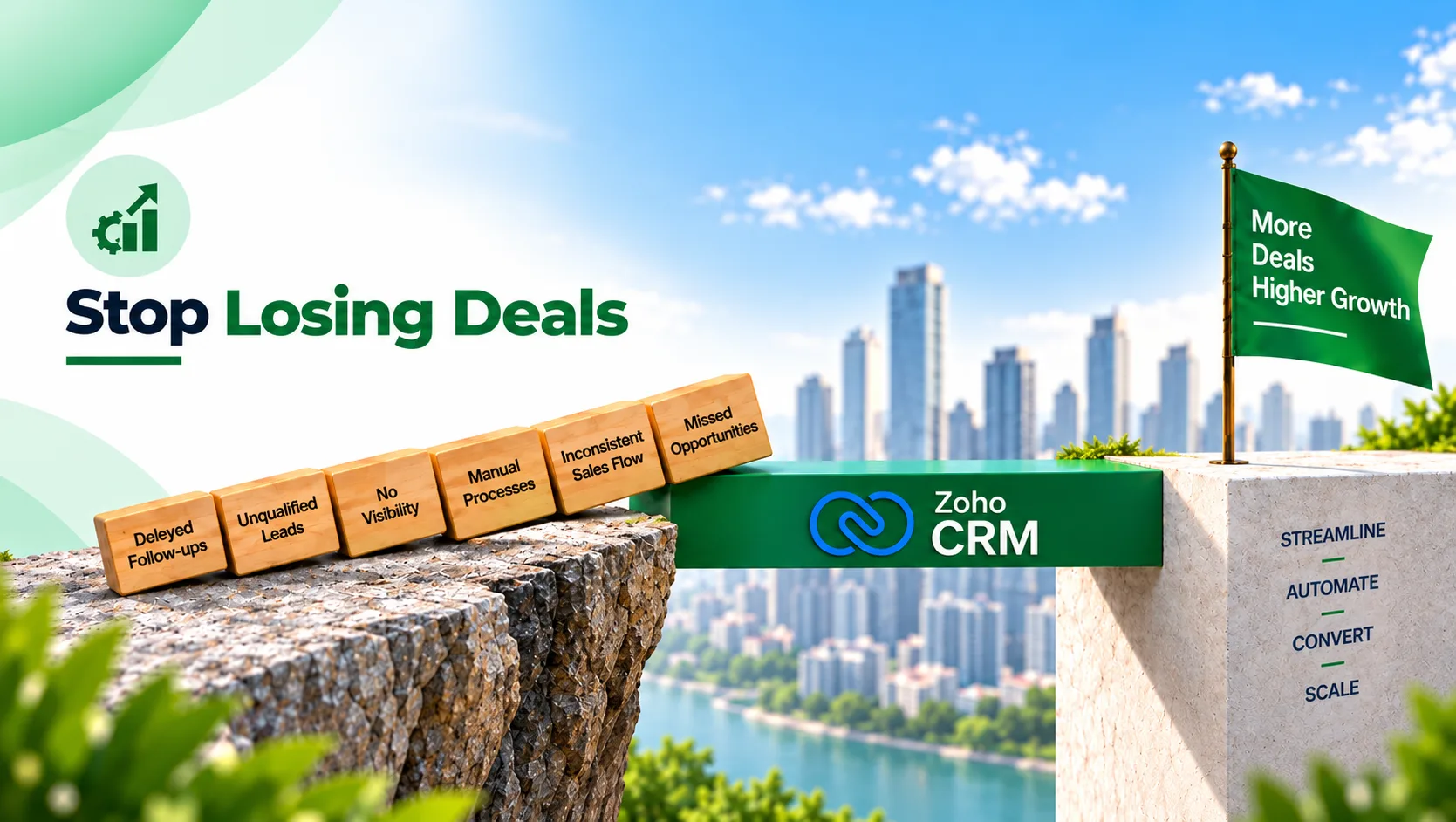
Most businesses assume their sales problem is a lead generation problem. It often isn’t.
Many organizations invest heavily in Google Ads, Meta campaigns, IndiaMART, trade shows, referral programs, and website lead generation. Yet conversion rates remain inconsistent.
The reason is surprisingly simple. Leads enter the system, but the sales process breaks down before opportunities are converted. In many growing businesses, deals are not lost because of poor products or weak sales teams. They are lost because of operational gaps inside the CRM process.
This is where CRM automation becomes critical. According to McKinsey Sales Automation Insights, organizations implementing sales automation often improve efficiency, increase customer-facing time, and unlock measurable sales growth by reducing manual activities.
For businesses evaluating Zoho CRM, the real question is no longer: “Do we need a CRM?”
The real question is: “Is our CRM actually helping us close deals?”
Let’s look at six common CRM automation gaps that quietly impact sales performance.
Gap 1: Leads Are Entering the CRM, But Nobody Responds Fast Enough
This is one of the most common issues. A lead submits a website inquiry, a demo request, a WhatsApp message, a form submission, or an IndiaMART inquiry. The lead reaches the CRM.
But response times vary depending on:
- Team availability
- Manual assignments
- Internal communication
- Human follow-up
By the time someone responds, the customer may already be speaking to competitors.
According to Zoho CRM Workflow Automation, workflow automation can automatically assign leads, trigger tasks, send notifications, update records, and initiate actions the moment lead criteria are met.
How to Fix It
Configure:
- Instant lead assignment
- Territory-based routing
- Automated notifications
- SLA tracking
- Escalation workflows
A lead should never wait for manual internal coordination.
Gap 2: Follow-Ups Depend Entirely on Sales Representatives
Many sales teams still operate like this: lead comes in, sales rep calls, notes are added manually, and follow-up depends on memory.
This creates inconsistency. Some leads receive five follow-ups. Others receive none.
According to McKinsey Growth & Sales Productivity Research, a significant portion of sales activities can be automated, allowing teams to focus more on customer engagement and revenue-generating activities.
How to Fix It
Automate:
- Follow-up reminders
- Email sequences
- WhatsApp reminders
- Meeting confirmations
- Re-engagement workflows
The process should not depend entirely on individual discipline. It should be supported by system-driven accountability.
Struggling with lead follow-ups and missed opportunities? Absoft helps organizations automate lead assignment, reminders, notifications, and customer engagement workflows using Zoho CRM.
Book a Free CRM Consultation →Gap 3: No One Knows Which Leads Deserve Immediate Attention
Not every lead has the same urgency. Yet many businesses treat high-intent buyers, existing customers, and low-quality inquiries exactly the same way.
This creates wasted effort. Sales teams spend time on low-priority leads while serious opportunities wait.
How to Fix It
Implement lead scoring based on:
- Source
- Budget
- Geography
- Activity
- Website behavior
- Inquiry type
This helps teams prioritize opportunities more effectively. Modern CRM workflows should help sales teams focus attention where it creates the greatest impact.
Gap 4: Sales Managers Lack Visibility Into Pipeline Health
One of the biggest operational problems is not knowing what is happening inside the pipeline. Managers often discover issues only after revenue targets are missed.
Common symptoms include:
- Stale opportunities
- Inactive leads
- Missed follow-ups
- Incorrect deal stages
- Forecasting inaccuracies
According to Gartner CRM Analytics Insights, organizations increasingly rely on CRM analytics and dashboard visibility to improve sales decision-making and performance management.
How to Fix It
Build dashboards that track:
- Lead aging
- Opportunity movement
- Stage conversion rates
- Sales activity
- Team response times
- Forecast accuracy
A CRM should function as a decision-making system, not just a contact database.
Need better sales visibility and forecast accuracy? Absoft helps businesses build CRM dashboards, sales analytics, forecasting systems, and performance tracking frameworks using Zoho CRM and Zoho Analytics.
Talk to a CRM & Analytics Expert →Gap 5: Sales Processes Change Depending on Who Handles the Lead
Many growing businesses unknowingly run multiple sales processes simultaneously. One representative follows a structured process. Another skips qualification. A third updates the CRM inconsistently.
This creates:
- Reporting issues
- Conversion inconsistencies
- Poor customer experiences
According to Zoho CRM Workflow Tutorials, workflow rules and process automation help standardize activities, automate repetitive actions, and enforce process consistency across teams.
How to Fix It
Use:
- Workflow automation
- Blueprint processes
- Approval systems
- Stage-based validations
The objective is not to restrict teams. The objective is to create consistency.
Gap 6: CRM Data Exists, But It Doesn’t Drive Decisions
This is where many CRM implementations fail. The CRM contains leads, contacts, activities, opportunities, and customer history. But leadership teams still rely on spreadsheets and manual reports.
As a result: data exists, but insights do not. A CRM that does not support decisions becomes an expensive storage system.
How to Fix It
Integrate CRM reporting with:
- Sales dashboards
- Revenue forecasting
- Performance tracking
- Customer analytics
- Operational reporting
Organizations that combine automation, analytics, and operational visibility often achieve significantly stronger outcomes than those using CRM systems only for record management.
The Real Problem Is Usually Not the CRM
Many businesses assume they need more leads, better salespeople, or more software. In reality, the problem often lies between lead capture and deal closure.
The CRM may be installed. The workflows may not be.
A lead can enter the system successfully and still be lost because:
- Nobody followed up
- Nobody escalated delays
- No qualification process existed
- No automation supported the sales team
- No visibility existed for leadership
This is why CRM implementation should never be viewed as a software setup project. It is a sales operations project.
Why Businesses Work With Absoft for CRM Automation
Successful CRM implementation is not about activating features. It is about designing workflows that match how a business actually sells.
Absoft works with organizations to identify operational bottlenecks across lead management, customer engagement, reporting, automation, and sales processes before implementing CRM workflows.
Their consulting approach includes:
- CRM process audits
- Lead management optimization
- Workflow automation design
- Sales pipeline architecture
- Reporting and dashboard setup
- Zoho CRM implementation
- Multi-channel lead integration
- User adoption planning
Rather than simply configuring software, the objective is to create a CRM system that improves sales efficiency and operational visibility.
Before You Invest More in Lead Generation, Audit Your CRM
Many businesses spend lakhs generating leads while losing opportunities already sitting inside their CRM. Before increasing advertising budgets, consider:
- Are leads assigned instantly?
- Are follow-ups automated?
- Are managers tracking pipeline health?
- Are workflows standardized?
- Is CRM data driving decisions?
If the answer to several of these questions is no, the problem may not be lead generation. The problem may be CRM execution.
Free CRM Automation Consultation
If your business is currently evaluating Zoho CRM, reviewing automation opportunities, or struggling with lead conversion despite healthy inquiry volumes, Absoft can help assess your sales workflows and identify automation gaps.
Whether you are:
- Implementing Zoho CRM
- Migrating from another CRM
- Managing large lead volumes
- Improving sales visibility
- Automating follow-ups
- Standardizing sales processes
their team can help design a more scalable sales operation.
FAQs
Why do businesses lose leads even after implementing a CRM?
Many organizations implement CRM software but fail to automate workflows, standardize processes, or create visibility into pipeline activity. As a result, leads still fall through operational gaps.
What is CRM automation?
CRM automation uses workflows, triggers, notifications, task creation, lead routing, field updates, and integrations to reduce manual effort and improve consistency across sales processes.
Can Zoho CRM automate lead follow-ups?
Yes. Zoho CRM supports automated workflows that can trigger emails, tasks, notifications, follow-up reminders, field updates, webhooks, and integrations based on predefined conditions.
What are the most common CRM automation gaps?
Common gaps include slow lead assignment, inconsistent follow-ups, poor lead prioritization, lack of sales visibility, unstructured sales processes, and weak reporting systems.
How does CRM automation improve sales performance?
Automation helps reduce administrative work, improve response times, standardize workflows, increase customer engagement, and provide leadership with better operational visibility.
When should a business consider a CRM audit?
Businesses should consider a CRM audit when conversion rates decline, sales teams struggle with follow-ups, reporting becomes inconsistent, pipeline visibility is weak, CRM adoption remains low, or growth creates operational complexity.
Ready to transform your CRM into a revenue growth engine? Absoft helps businesses streamline lead management, automate follow-ups, improve pipeline visibility, and build scalable CRM workflows using Zoho technologies.
Schedule a Free CRM Automation Assessment →