At a glance
- Industry
- Non-profit — vocational training, employability and placement
- Zoho products
- Zoho CRM
- Timeline
- 6–8 weeks, with three months of post-implementation support
- Scale
- Multiple training centres, course batches by academic year, teaching staff and employer partners
- Custom work
- Student, course, batch, staff, on-job-training and placement modules; automated batch and staff allocation; ID card generation; a placement tracker carrying employer conversion and retention; self-service portals for students and staff; role-based access and encryption
Reporting impact to funders out of spreadsheets? There's a better way to hold it. Get a free automation audit
The Challenge
The programmes worked. Proving they worked was the problem.
- The student record was scattered. Enrollment details, qualifications, attendance, assessments, certifications and placement history lived in different files. Nobody could open one place and see a student's whole journey, and returning students were re-registered from scratch because there was no way to find them.
- Batching and staffing were done by hand. Allocating students to batches by course, centre and trainer availability was manual. So was pairing teachers to batches at a workable ratio. When a trainer left mid-course, finding out what that broke took a phone call.
- Placement was tracked after the fact, or not at all. Job offers, interviews, employer feedback and — the hard part — whether a graduate was still in the role three months later sat outside any system. Which meant the organisation's most important claim rested on someone's follow-up memory.
- Employers weren't being managed as a pipeline. Employers were contacted, some converted, most weren't followed up systematically. The relationship that produces every placement had no owner and no record.
- Reporting was a manual exercise every time. Completion rates, placement percentages by course and location, trainer workload, student attrition — each report assembled by hand when a funder or the board asked.
What We Built
A student training management system on Zoho CRM, covering the full lifecycle: enrollment, course, batch, training, on-job training, placement and retention. Zoho CRM is the backbone. The custom work is the lifecycle model — students, batches, trainers and employers as connected records rather than five spreadsheets.
One student record, start to finish
- Enrollment capturing personal details, contact information, educational qualifications and training preferences, with batch-wise enrollment driven by course, centre and staff availability.
- A profile that carries training history, progress, certifications and placement records, with history search so a returning student is found rather than created twice.
- Automatic ID card generation on enrollment.
Courses, batches and trainers that allocate themselves
- Course management by academic year, mapped to specific centres and teaching staff.
- Batch creation and allocation based on schedules and staff availability, with batch notifications going to students carrying start date, schedule and location.
- Automated trainer assignment against course requirements and availability, holding pre-defined teacher-to-student ratios rather than leaving them to judgement.
- Attendance, assignments and assessments tracked per student, feeding live training reports.
- Trainer attrition tracking with reallocation reporting. A trainer leaving mid-batch is the quiet way a cohort's completion rate collapses, and it now shows up as a number instead of a surprise.
The placement engine
- On-job-training coordination: participation, attendance, feedback and performance across industry exposure sessions.
- Placement management covering status, job offers, interviews and employer feedback, held against the student record.
- A placement tracker carrying placement industry, employer and contact, retention period, contacted versus converted employers, and placement percentage by course and by location.
- Employers handled as a pipeline, because that is what they are — contacted, engaged, converted, repeat.
Notifications instead of follow-up calls
- Automated alerts on course changes, staff reassignment and batch schedule changes, going to programme managers, students and staff.
- Reminders for deadlines, upcoming training sessions and placement opportunities.
Reporting the board and the funders actually ask for
- Student progress, training completion rates and placement statistics.
- Trainer workload, student attrition and course performance.
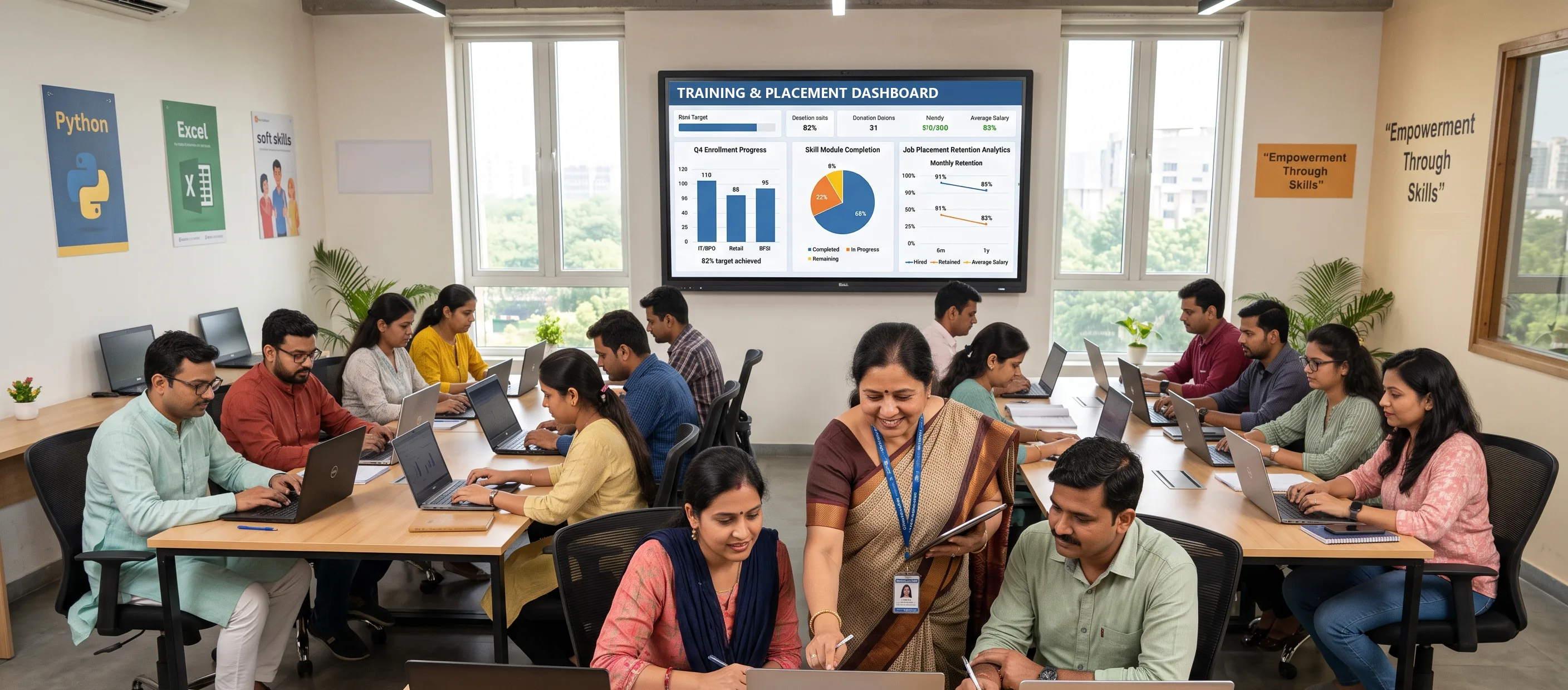
- Dashboards for enrollment, training milestones and placement outcomes, live rather than assembled.
Access, for people who aren't sitting at a desk
- Self-service portals — students reach their profile, schedule and reports; staff reach teaching assignments and performance dashboards.
- Mobile-responsive throughout, and multi-language support, so the system reaches the people using it rather than only the office.
- Role-based access control and encryption across student data, configured against applicable data-protection requirements.
Results
- One record per student, enrollment to employment. Qualifications, batch, attendance, assessments, certification, placement and retention on a single profile.
- Allocation runs on rules. Batches and trainers assigned against schedules, availability and ratios, with attrition visible.
- Placement is measurable. Conversion by employer, placement percentage by course and location, and how long graduates stayed.
- Funder and board reporting is a dashboard, not a week of spreadsheet work.
- Live in six to eight weeks, with three months of support behind it.
Why It Worked
We built the system around retention, not attendance.
Attendance is the easy number. It happens in front of you, in a room you control, and every student management system on the market collects it. Retention is the hard one — it happens months after the student has left, at an employer you don't control, and it requires someone to follow up and record the answer. It is also the number a CSR funder or a board actually asks about, because a placement that lasts six weeks isn't a placement. Designing the tracker around the hard number rather than the easy one is the whole reason this system earns its keep.
The second call was using a CRM rather than building a bespoke platform. Non-profits get quoted for custom systems constantly, and most don't need one. Look at what this organisation actually does: it runs a pipeline of students through stages, and a pipeline of employers through contacted, engaged and converted. That is a CRM's native shape. Modelling it on Zoho CRM meant six to eight weeks instead of a year, a licence cost an NGO can carry, and a platform their team can change without calling a developer. We'd have earned considerably more building it from scratch. A training company got the same result from the same reasoning, using the Zoho apps it was already paying for.
And the trainer attrition tracking was not in the original ask. It came out of asking what actually goes wrong in a batch. The answer was: the trainer leaves. So it got a report.
Frequently asked questions
Can Zoho CRM be used to manage students rather than customers?
Yes, and for a skilling or training organisation it's usually the right choice. A student moving through enrollment, batching, training and placement is a pipeline, and an employer being contacted and converted is a pipeline. Those are the two things a CRM does natively. The custom work is modelling your lifecycle, not building a platform.
Should an NGO buy a custom-built system or configure an existing one?
Configure, in most cases. Custom platforms get quoted to non-profits far more often than they're needed, and they come with a maintenance burden a small team can't carry. Build custom only where your process genuinely has no equivalent in an existing product. Ask any vendor proposing a bespoke build to name what specifically can't be configured.
Can we track placement retention, not just placement?
Yes, and it's the number worth building for. Retention period against each placement record, reported by course and location, gives you what funders ask for. It needs a follow-up process behind it — the system can prompt and record, but somebody still has to make the call.
Can trainer and batch allocation be automated?
Allocation can run against course requirements, staff availability and defined teacher-to-student ratios, with notifications going out on assignment and on any schedule change. You keep the override; the system stops you having to work it out from a spreadsheet each cycle.
Can students and staff access the system themselves?
Through self-service portals — students see their profile, schedule and reports, staff see assignments and dashboards. Build it mobile-first. In this sector most users reach it on a phone, and a desktop-only portal is a portal nobody opens.
How is student data protected?
Role-based access control so people see only their own cohort or function, encryption on sensitive fields, and configuration against the data-protection requirements that apply to you. Worth specifying at design time rather than retrofitting.
How long does a system like this take to build?
Six to eight weeks here, covering the full lifecycle from enrollment through to placement tracking, plus three months of support afterwards. The support window matters more than usual for an NGO — teams are small, the person trained in month one may not be there in month six, and adoption is where these projects fail.
Facing the same challenge?
If your programme outcomes live in spreadsheets and every funder report is built by hand, we'll show you what one connected system looks like for your organisation. Start with a free automation audit. Get a free automation audit