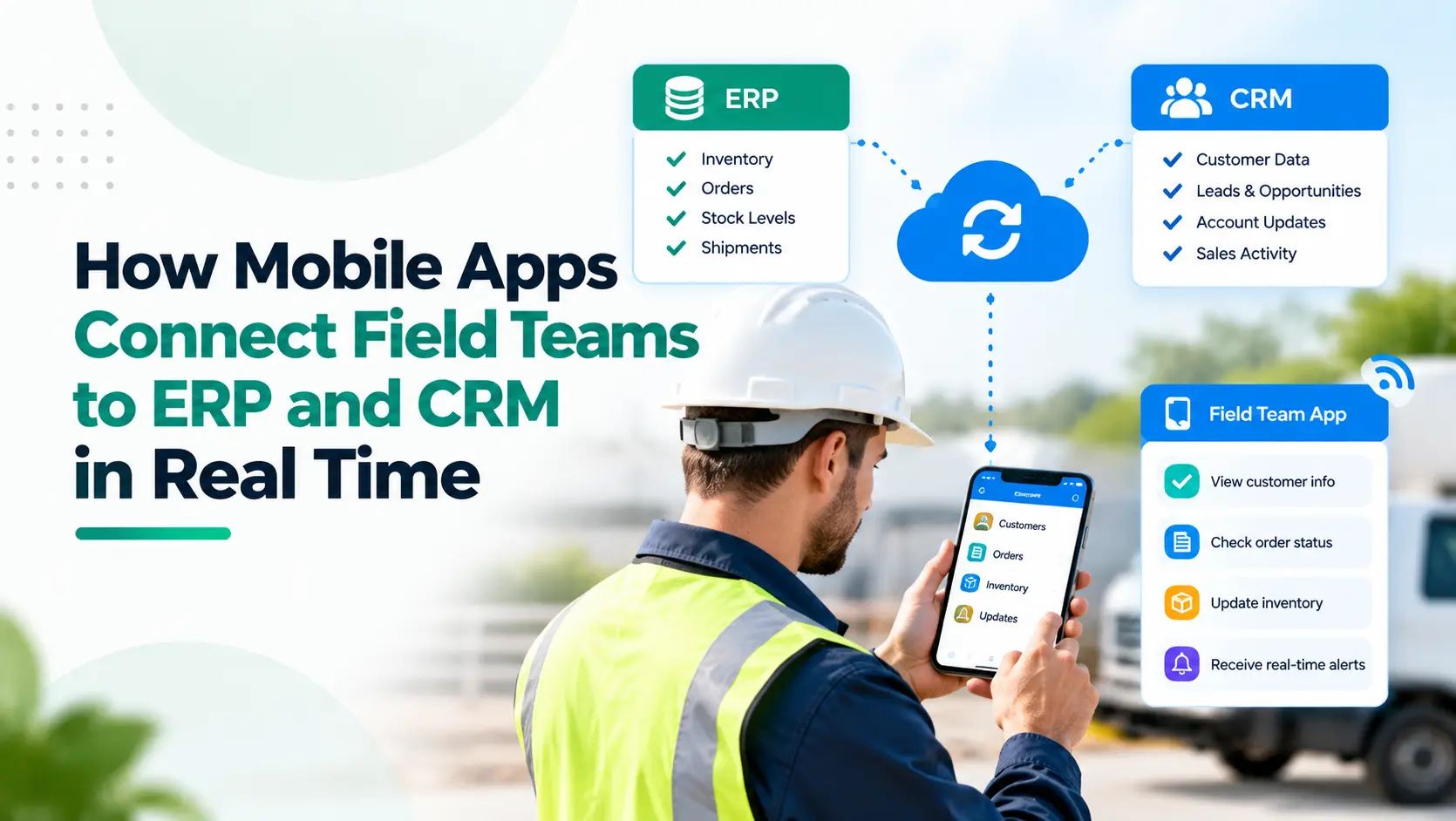
For employees working behind a desk, CRM and ERP are always within reach.
For a sales representative visiting a distributor, a service engineer at a customer site, or an inspection team working in the field, the reality can be very different.
Information gets written into notebooks. Orders arrive through WhatsApp. Job updates are shared over calls. Photos stay on individual phones. Customer information gets entered into CRM at the end of the day, or not at all.
The business may have invested in CRM and ERP, but the people closest to customers and operations are still working outside them.
A connected field-force mobile app changes that.
Instead of becoming another standalone application, the mobile app acts as the field interface to CRM, ERP and other business systems. Employees can access the information they need and update the systems of record while the work is actually happening.
Absoft’s Mobile App Development Services are built around this model: mobile tools for field sales and service teams that connect to existing CRM, ERP and operational systems.
Key Takeaways
- Field apps should connect to existing CRM and ERP rather than create another data silo.
- Sales, service, inventory and collection information can move between field teams and head office in real time.
- Offline-first capability is essential when employees work in inconsistent network conditions.
- APIs determine how reliably the mobile application exchanges information with core business systems.
- Role-based access should ensure employees see only the information required for their work.
- The business value comes from faster execution and better data visibility, not simply from launching an app.
Why Do Field Teams Need Direct Access to CRM and ERP?
Consider a field salesperson taking an order.
Without integration, the salesperson may need to call the office for stock availability, record the order separately, send it to operations, wait for confirmation and later update CRM.
Now imagine the app already knows:
- Customer details from CRM
- Current products and pricing
- Available inventory from ERP
- Outstanding invoices from finance
- Approved credit limits
- Previous orders
- Open opportunities
The salesperson can capture the new order while sitting with the customer.
The same principle applies to service engineers, inspection teams, collection executives, warehouse staff and other employees who work away from a desk.
The phone becomes a controlled window into the company's business systems.
1. CRM Gives the Field Team Customer Context
CRM typically owns customer-facing information such as:
- Leads and accounts
- Contacts
- Opportunities
- Visit history
- Follow-up activities
- Quotations
- Customer communication
Connecting the field app to CRM means employees do not have to start each interaction without context.
A sales representative can view the last meeting, pending opportunity and next action before arriving at the customer's location.
After the meeting, notes, photographs, follow-up dates or new requirements can be recorded immediately.
That also improves CRM adoption. Absoft’s article on building CRM systems that teams actually use highlights how reducing manual entry and connecting CRM with the tools employees already use can make the system more practical for users.
2. ERP Gives Employees Operational Information
CRM explains the customer relationship.
ERP explains whether the business can execute what the customer needs.
Depending on the business, ERP information available through the mobile app may include:
- Stock availability
- Product pricing
- Warehouses
- Orders
- Dispatch status
- Service history
- Invoices
- Payments
- Returns
- Assets or equipment
This removes unnecessary calls between the field and back office.
Absoft’s guide to CRM and ERP integration explains how connected systems can reduce repeated data entry and improve coordination between sales, finance, inventory and operations.
The mobile app extends that connected process to wherever the employee happens to be working.
Connect your field teams directly to CRM, ERP and business operations.
Book a Consultation3. APIs Keep the App and Business Systems Connected
The mobile app should usually not maintain a completely separate copy of the business process.
APIs allow it to communicate with CRM, ERP, finance software and other systems.
For example:
CRM → Mobile App
Customer details, visits, leads and opportunities
ERP → Mobile App
Products, prices, inventory and order status
Mobile App → CRM
Meeting notes, new leads and follow-up activity
Mobile App → ERP
Orders, service completion, material usage or collections
Absoft’s broader digital transformation and integration services include API-driven system connections and real-time data synchronisation across enterprise applications.
The objective is to avoid building another isolated application.
4. Offline-First Design Matters More Than It Sounds
“Real time” does not mean the app should stop working every time the network disappears.
Field teams may operate inside factories, warehouses, basements, remote locations or areas with inconsistent mobile connectivity.
A well-designed app can store authorised information locally, allow the employee to continue working and synchronise changes when connectivity returns.
Microsoft's Field Service documentation describes this model: required information is downloaded to the device, employees can continue working offline, and changes synchronise with the server after the connection returns.
Salesforce similarly supports field employees creating and updating records offline and synchronising them later.
For businesses evaluating a field application, offline operation should therefore be considered during architecture, not added as an afterthought.
5. Capture Information Where It Is Created
Mobile devices can capture operational information that desktop systems cannot collect naturally.
Examples include:
- GPS check-in
- Photographs
- Digital signatures
- Barcode or QR scans
- Timestamps
- Job completion
- Inspection forms
- Customer acknowledgement
- Expense documents
Salesforce's field-service platform, for example, supports mobile capture of signatures and product barcodes, including offline scenarios.
Absoft’s mobile-app capability similarly includes visit check-ins, job cards, collections, GPS, photographs and signatures for field teams.
The important change is that this information becomes part of the business process immediately rather than being reconstructed later.
Replace manual updates and disconnected workflows with a connected field app.
Talk to a Mobile App Expert6. Field Updates Can Trigger Back-Office Workflows
A connected mobile application should do more than save information.
It can trigger the next process.
For example:
Field salesperson submits order
→ ERP validates inventory→ approval starts if discount exceeds limits
→ order is created
→ operations receives notification
Service engineer closes job
→ service record updates→ materials consumed are recorded
→ customer receives confirmation
→ invoice process starts
Collection executive records payment
→ finance status updates→ CRM reflects the latest position
→ account manager receives visibility
This is where mobile applications become part of workflow automation rather than simply data-entry tools.
7. Give Different Employees Different Mobile Experiences
A salesperson does not need the same app experience as a technician.
A technician does not need the same information as a regional manager.
Role-based mobile applications can provide different workflows while connecting to the same backend systems.
For example:
Sales Representative: customers, visits, opportunities, orders.
Service Engineer: jobs, asset history, parts, checklists.
Collection Executive: invoices, outstanding amounts, receipts.
Manager: team activity, exceptions, approvals and KPIs.
SAP's Field Service platform follows a similar mobile-first approach by providing technicians with assignments, asset information, time and material recording, and online or offline job completion while synchronising field activity with enterprise systems.
What Changes When Field Teams Become Connected?
The biggest change is not that employees have another app on their phones.
It is that the delay between what happens in the field and what the business knows becomes much smaller.
Management can gain faster visibility into:
- Customer visits
- Orders
- Service completion
- Collections
- Inventory requirements
- Sales activity
- Field productivity
- Operational exceptions
Meanwhile, employees spend less time reporting yesterday's work and more time executing today's work.
When Should You Build a Custom Field App?
A custom mobile app becomes particularly relevant when:
- Standard CRM mobile screens do not match the field workflow.
- Employees need information from several systems in one interface.
- Offline working is important.
- GPS, photographs, signatures or barcode scanning are required.
- ERP actions need to happen directly from the field.
- Different roles require different workflows.
- Existing processes depend heavily on WhatsApp, spreadsheets or paper forms.
The decision should start with the field process, not the technology.
Transform field operations with mobile apps integrated with CRM and ERP systems.
Start Your Mobile App ProjectConnect the Field to the Systems Running the Business
CRM and ERP provide businesses with structured systems for customers, orders, finance, inventory and operations.
But their value is limited if field employees remain outside those systems.
A properly designed mobile application creates the bridge.
Absoft builds iOS, Android and cross-platform applications for field teams, including offline-first workflows and integrations with CRM, ERP and existing business systems through Mobile App Development Services.
If your field teams still depend on calls, WhatsApp, spreadsheets or end-of-day data entry, talk to Absoft about designing a connected field application around your existing processes and systems.
Book a consultation with Absoft
Frequently Asked Questions
What is a field-force mobile app?
A field-force mobile app is a business application designed for employees working away from a desk. It can provide access to customers, orders, jobs, inventory and other information while allowing field activity to be recorded directly into business systems.
Can a mobile app connect directly to CRM and ERP?
Yes. Mobile apps can connect to CRM and ERP through secure APIs, native connectors, middleware or custom integration layers. This allows customer and operational information to move between the mobile app and backend systems.
Can a field app work without internet connectivity?
Yes. An offline-first application can store authorised information on the device and allow employees to continue working when connectivity is unavailable. Changes can then synchronise when the device reconnects.
What can field sales teams do through a connected mobile app?
Depending on the implementation, sales teams can access customers, opportunities, pricing and stock; record visits; capture orders; create follow-ups; collect signatures; upload photos and check outstanding invoices from one mobile interface.
How does a field-service app integrate with ERP?
The app can retrieve work orders, inventory, assets and service information from ERP and return job completion, materials used, signatures, time records and other field data through APIs.
Is a custom mobile app better than using the standard CRM mobile app?
Not always. A standard CRM app may be sufficient for simple sales workflows. A custom field app becomes useful when employees need specialised workflows, offline capabilities, multiple system integrations, device features or a simpler role-specific interface.